12 essentials for creating effective digital stories
Posted: October 21, 2026 Filed under: Rick's Rules, Journalism Training | Tags: audience, data visualization, journalism tips, Journalism Training, multimedia journalism, Multimedia Reporting Leave a comment
By RICK DUNHAM
Writing for digital platforms requires different writing styles than the legacy news platforms it has eclipsed.
Readers who consume news on their phones or laptops prefer writing that is briefer and livelier than traditional print articles. Yet they want greater depth and insight than contained in a traditional television news report.
Here are 12 essential elements that will help you succeed in the digital news world.

1. No wasted words
There is no room for self-indulgence in digital writing. Every word matters. People click away from stories if they get bored or annoyed. If you write something and no one reads it, you are not an effective journalist in the digital age.
2. Think short
Short sentences. Write like you speak to a friend, not the way you’d write a report for a government agency or for a thesis.
Short leads. Don’t pack too many words into the first sentence. And don’t write it like a routine wire story lead: “Something happened today in our city, officials said.” Boring!
Short paragraphs. A screen containing one paragraph of dull, gray type is deadly. Vary paragraph lengths, but keep them to a maximum of three sentences.
One thought per paragraph. Don’t try to say everything all at once. Flow naturally from idea to idea. Keep the structure simple.
“A general rule of thumb: Web content should have about half as many words as its printed equivalent,” journalism trainer Tony Rogers has written.
3. Think visually
Don’t just think of the words you will write. Think of how it will look on the screen. You want it to be attractive visually. That means white space (and not just text). It means attractive and easy-to-understand graphics. And it means engaging and, ideally, shareable images.
4. Know your audience
Your writing may differ in subtle or significant ways based on your audience’s profile. Is it older? younger? more educated? more conservative? What is the audience’s nationality (or nationalities)? Is it regional or national within a country? Is it global? Does it have a particular interest in certain subject matter (economics, commerce, the environment, diplomacy)? , may write differently
5. Focus most items around a single theme
Forget about the traditional “kitchen sink” round-up story that deals with a number of developments on a single topic. Pick an important or engaging development and write a narrowly focused, compelling piece. If two or three developments are newsworthy and interesting to your audience, you can write multiple posts. Many news outlets combine these single-topic articles under the banner “the latest news on” today’s big story.
6. Be direct
Always use active sentence structure. Be conversational. Use strong verbs, precise nouns and as few adjectives and adverbs as possible. (Examples: Avoid wasted words like “very,” “a few” or “unfortunately.”) Never use stilted language or flowery prose. Get to the point. Always stay on point.
7. Be immediate
Make it clear quickly why someone would want to read your story now. Unless you are writing a long narrative that someone can bookmark and return to, you want to be immediate. Your target audience will either read it now – or never. Make it now!
8. Be more analytical
Try to add value, even in short stories. Provide analysis, context and even a bit of relevant history. Explain why something happened or what might happen next. Always consider what you might include that would make the reader leave you story thinking that they learned something interesting.
9. Use more lists and “bullet points”
Articles made up of lists, or structured to include a list of “bullet points” (the big dots that resemble bullets), are easier on the eye. They also save space by eliminating transition sentences from one thought to the next. Another plus: Younger audiences (age 35 and under) are particularly drawn to these so-called “listicles.”
10. Liberally insert links
Your digital stories can be easier to find on search engines if you include embedded links in your story. Embedded links have an added advantage: They save space by allowing you to link to background material rather than describing it in your own story. In addition to embedded links, keep people on your app or website by linking to related stories or other articles by the author.
11. Consider embedding social media posts and videos in your stories
Digital stories don’t have to be use a single storytelling medium. By embedding social media posts, short videos or even mini-documentaries in your post, you create a user-friendly multimedia melange.
12. Find your voice
Write like a person, not like a computer. Sound like you are someone the reader would like to know. It’s OK to include some “personality” in the story, as long as the personality is inviting. But don’t let that personality interfere with – or overwhelm – the main points of your article.
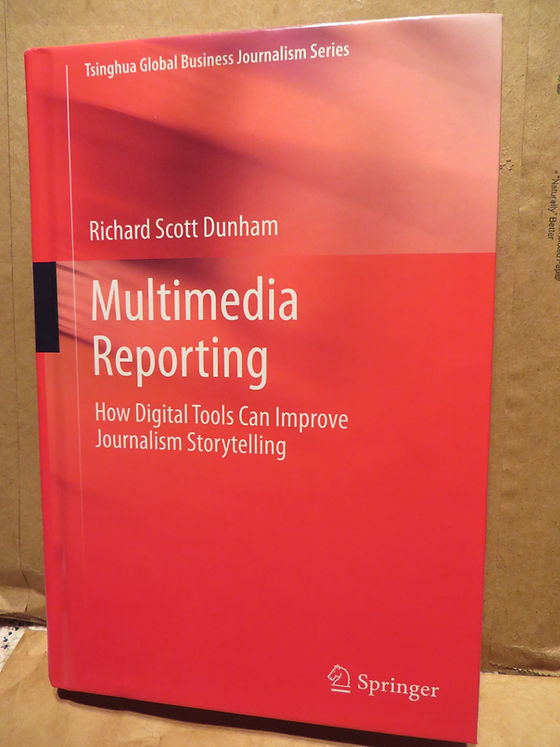
Rick Dunham is co-director emeritus of the Global Business Journalism program at Tsinghua University and a visiting professor in the Tsinghua School of Journalism and Communication. He is the author of the textbook, “Multimedia Reporting,” published globally by Springer, and co-editor of “The Routledge Companion to Business Journalism.”
Mr. Dunham is a veteran Washington journalist, White House correspondent and former president of the National Press Club. He also served as Washington bureau chief of the Houston Chronicle and White House correspondent for Business Week magazine.
Mr. Dunham has offered news analysis for news outlets from countries including the United States, China, Finland, the Philippines, Denmark, Estonia and Russia. He has trained professional journalists, journalism students and journalism educators in locations including the United States, China, Finland, the Netherlands, Hong Kong, Lebanon and the Philippines.
Ten tips for online teaching during the coronavirus pandemic
Posted: March 12, 2020 Filed under: Breaking news, Dunham's Discourses, Global Business Journalism, Journalism Training, Top Ten | Tags: Adobe Captivate Prime, Amherst College, Articulate Storyline, Biddy Martin, China, Docebo, ezTalks Webinar, Fastmeeting, GBJ, Global Business Journalism, ICFJ, IJNet, International Center for Journalists, Internet, Lisa Waananen Jones, Moodle, Multimedia Reporting, online education, PowerPoint, remote learning, SAP Litmos, Skillshare, Springer, techradar.com, Tsinghua School of Journalism and Communication, Tsinghua University, Udemy, United States, WizIQ, Zoom 2 Comments
My first online class. Out of a crisis came an opportunity to experiment and innovate.
In late January, when most people around the world viewed the coronavirus as a remote medical crisis afflicting residents of China, I knew better. As a veteran journalist now teaching at China’s top university, I could see that the epidemic was likely, slowly but surely, to become a global pandemic. With no cure, rapid spread in new “hot zones,” and limited information available to the public, I realized that my professional and personal life was going to be changed significantly.
As co-director of Global Business Journalism, a master’s degree program created by the International Center for Journalists and Tsinghua University in Beijing, I knew that we would need to plan to conduct our spring semester “virtually” through an online platform rather than in the classroom in China. Like almost all of our international students, I was outside of China and unable to return to the locked-down campus.
For my program, this crisis became an opportunity, and Global Business Journalism began its spring semester on schedule and with all students in attendance via the Zoom online platform. Now that the coronavirus is understood to be a global threat, more than 100 American universities and hundreds of others around the world switched from in-person to online classes in the first two weeks of March alone.
This unanticipated disruption need not be a burden, if you are adaptable and innovative. “Online education is an opportunity to make coursework more customized and flexible,” writes journalist and educator Lisa Waananen Jones.
Here are 10 tips to make an online learning experience more rewarding:
- Pick the right learning platform
Your online learning site must be able to handle the number of people in your classes or meetings. You need to consider whether your budget can afford a “premium” plan or whether you are willing to accept the limitations of free sites (usually capping the number or participants or limiting the time of your sessions). Different sites offer various features, including images of each participant, chat capabilities (for the full group or individual members), and group meetings taking place at the same time inside of the class session. In addition to Zoom, other platforms recommended by techradar.com include Docebo, Udemy, Skillshare, WizIQ, Adobe Captivate Prime and SAP Litmos. Other choices with free options include Moodle, ezTalks Webinar, Fastmeeting and Articulate Storyline. Some platforms are offering discounts to schools and nonprofit organizations.
- Beta test your platform
As I was working with my Tsinghua School of Journalism and Communication colleagues to set up our virtual classrooms, the Iowa Democratic caucuses demonstrated to the world the risks of adopting new technologies without sufficient beta testing. The failure of the Iowa vote-counting app, which was not rigorously tested, was a massive embarrassment. I realized that failure was not an option for me. We moved quickly with small-scale beta testing of several platforms and chose Zoom. We followed up with a beta test of five staff members and then our first-year graduate students. Each was successful. We were ready for our official launch – all within a week.
- Focus on your community
If you don’t already have a social media chat group for your class, create one. (My Tsinghua class uses WeChat, but WhatsApp, Facebook and other platforms can work for you.) I interact with my students far more often than when we were on campus together, answering quick questions and offering tips and suggestions. As you focus on your community, it also is important to tailor your lecture content the new communication medium you are using. Don’t just transfer your lecture notes or PowerPoint presentations to an online format. You need to communicate differently than in class. There is no natural interaction of professors and students. Students online don’t raise their hands or give you a non-verbal clue that they’d like to participate in a discussion. You will need to invite people into the classroom give-and-take and make them feel welcome. You can build student feedback into your lectures through simultaneous social media chats or online surveys.
- Think visually
Yes, I advise journalists to “think visually” in my new Multimedia Reporting textbook (Springer, 2019). But it is important to think visually as an online professor, too. The most boring way to teach is to be a talking head. I started with my virtual classroom set. As the son of a scenic designer for Broadway and opera, I created a backdrop for my lectures. A pair of life-sized terra-cotta warriors that I shipped home from Xi’an frames the shot of me in my makeshift home studio. On a more substantive note, I try to vary the images on the screen at any one time, whether still shots or videos. I have scrolled through best-practices examples on my screen and even conducted live searches of online databases to illustrate points I am trying to make. Of course, there’s always a risk that one of your visual exercises could go awry, but that’s part of the excitement of live TV.
- Lower expectations
Inevitably, something will go wrong in real time: The streaming video, someone’s audio, someone’s internet connection, the live chats, the advanced functions on your platform. Patience is important. As long as your students understand that this virtual classroom might not be perfect, everyone will be a bit less anxious if they experience an “oops” moment.
- Get plenty of rest
Teaching online takes more energy than teaching in the classroom. It’s like being on live television. Try to get a good night’s sleep before each performance. (And always have a cup of water, tea or coffee nearby.)
- Be forgiving of your students’ complications
My remote-teaching experience is unusual. My students span 22 time zones. My class begins at 9 a.m. on the east coast of the United States. For my students, that means 10 p.m. in Japan and Korea, 9 p.m. in China, 5 p.m. in Oman, 3 p.m. in South Africa, 2 p.m. in Europe, and 6 a.m. in Vancouver and Los Angeles. Some students, cloistered in their parents’ homes, have to whisper so they don’t awaken slumbering relatives. I have allowed some students to present “oral” reports through the group chat function. Remember: It’s not the students’ fault that our spring semester has become so complicated.
- Give your students individual attention
It’s important to build or maintain relationships with everyone in your class. That becomes particularly important when you cannot engage in the basic social interactions of a classroom setting. Instead of having my regular weekly office hours, I feature “virtual office hours” at times arranged with each student. Because some students are shy, I have reached out to schedule meetings in advance of major assignments. I leave a few minutes after every lecture for students who want to hang around in the virtual classroom and ask me any questions on their minds. I also respond to social media messages or email from my students within the day (or sooner, if practical). I believe it’s important to show students that you care about their learning experience and their progress.
- Remain physically active
Over the first few weeks of my online teaching experience, I found that I sometimes felt lonely or irritable. I was accustomed to the give-and-take with students, and the social camaraderie of my office. To overcome a sense of isolation, I make sure to exercise regularly. My colleagues and students in China have developed much more creative coping mechanisms during their weeks in quarantine. Those of us free to move around in our hometowns must act responsibly, but we don’t want to cloister ourselves and live in a world of irrational fear.
- Rely on your teaching assistant or office staff
Teaching remotely requires more work than teaching in the classroom. It requires more coordination, communication and logistical planning than normal courses. It is vital that you empower your teaching assistant or office staff to remind students of upcoming assignments, guest lectures and schedule changes. And remember to say “thank you” to the staff that helps you.
None of us is in this alone. Amherst College President Biddy Martin was speaking for me when she informed her students and staff on March 9 of a temporary shift to online education.
“It will be hard to give up, even temporarily, the close colloquy and individual attention that defines Amherst College,” she wrote, “but our faculty and staff will make this change rewarding in its own way, and we will have acted in one another’s best interests.”
This article was written for cross-posting on the International Journalists’ Network (IJNet).


Recent Comments